
1
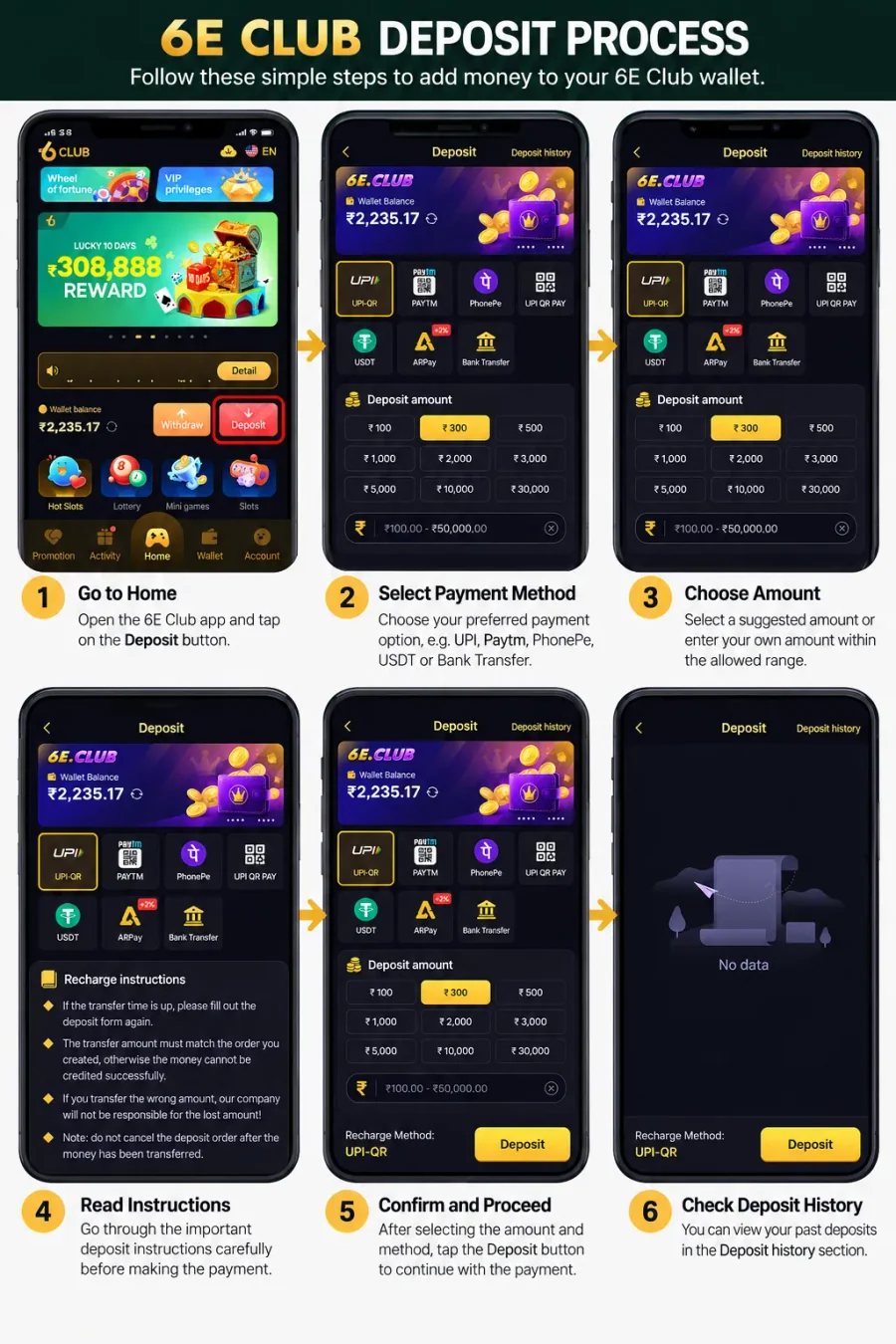
Open the Deposit Page
From the Home screen, select Deposit beside the displayed wallet balance. You can also look for Deposit within the Wallet section. Check that the page has loaded correctly before selecting a payment method.
Guide · 2026
Making a deposit is straightforward when the payment method, amount and order details all match. Check those details before sending money — a mismatch can make the transaction harder to resolve.
Open Deposit in your account
Sign in, then use Deposit from Home or Wallet and follow the steps below.
Open the Deposit section and review the instructions on the page. Check available methods, the permitted amount range and any conditions attached to the transaction.
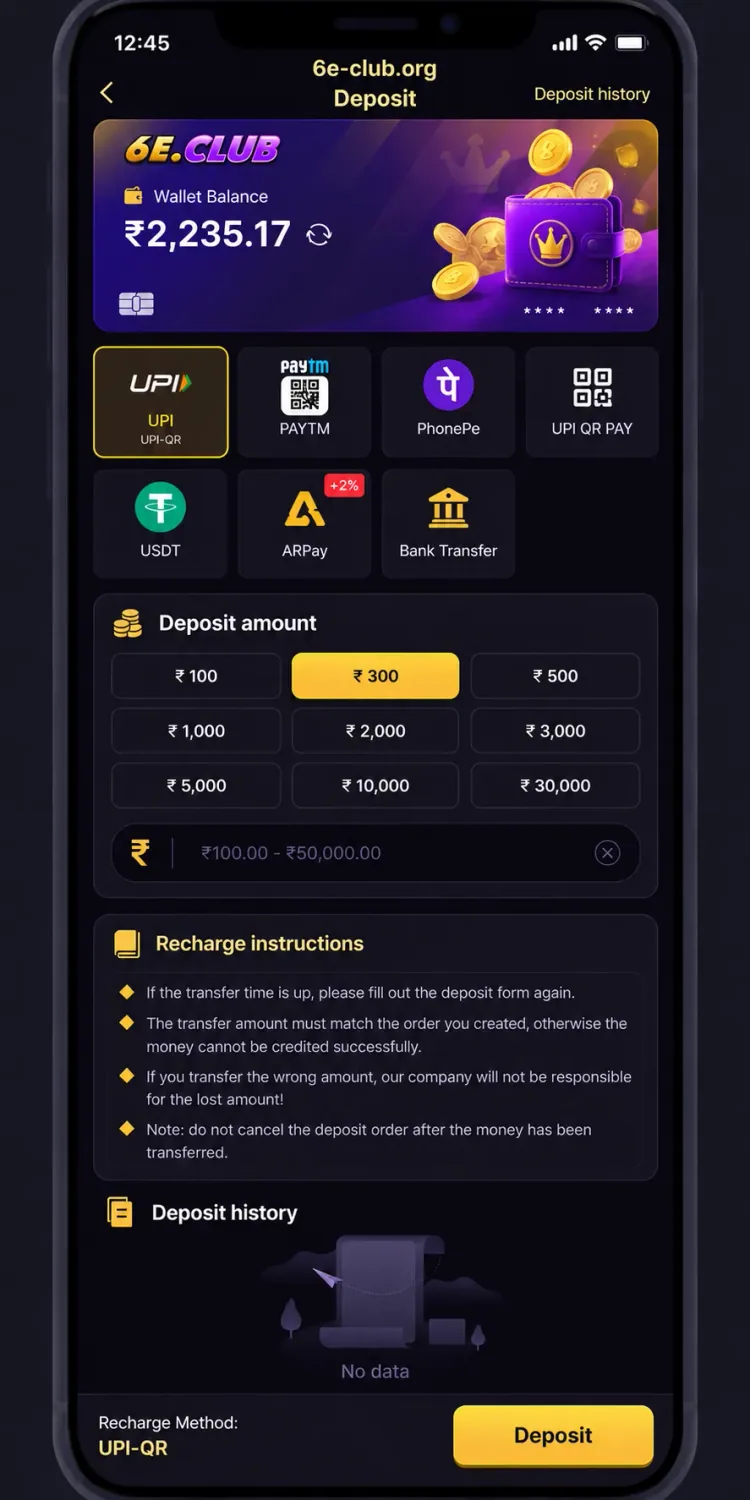
The deposit screen displays several payment options and suggested amounts. Options available to you may change — use the current form rather than an old screenshot.
Confirm that you are using the intended website and that payment instructions belong to the transaction you are about to make. Do not send money to account details supplied separately by an unknown person.
Follow these steps carefully. Exact labels can vary with the live interface.
From the Home screen, select Deposit beside the displayed wallet balance. You can also look for Deposit within the Wallet section. Check that the page has loaded correctly before selecting a payment method.
The deposit interface may include UPI, Paytm, PhonePe, UPI QR Pay, USDT, ARPay and Bank Transfer. Select an option available to you and read the instructions for that method — do not assume every method works the same way.
The form may show suggested amounts (for example ₹100 to ₹30,000) and an amount field with a stated range such as ₹100 to ₹50,000. Check the live limits before proceeding. A highlighted amount is a selection, not a recommendation to spend that sum.
After selecting method and amount, read the next instructions carefully. The platform may display payment details or further steps. Check the amount and payment destination before completing the transfer. Do not reuse old saved details unless they match the current order.
Follow the instructions for the selected method. Make sure the amount you send matches the amount requested by the deposit order. Keep the payment confirmation and transaction reference where available.
Return to the platform and check the wallet balance or Deposit History. If the payment has not appeared immediately, check its status before attempting another deposit — sending the same amount again may create a second transaction.
Exact requirements depend on the selected method and the instructions displayed at the time of payment.
The form provides preset amounts and a field for entering a value within the displayed range.
Suggested amounts may include ₹100, ₹300, ₹500, ₹1,000, ₹2,000, ₹3,000, ₹5,000, ₹10,000 and ₹30,000. The amount field may state a range such as ₹100 to ₹50,000 — always check the live page.
Do not deposit more simply to reach a promotional threshold unless you have read and understood the terms. A displayed reward does not guarantee a particular benefit.
The deposit screen includes Recharge instructions. Read them carefully when a payment is already in progress.
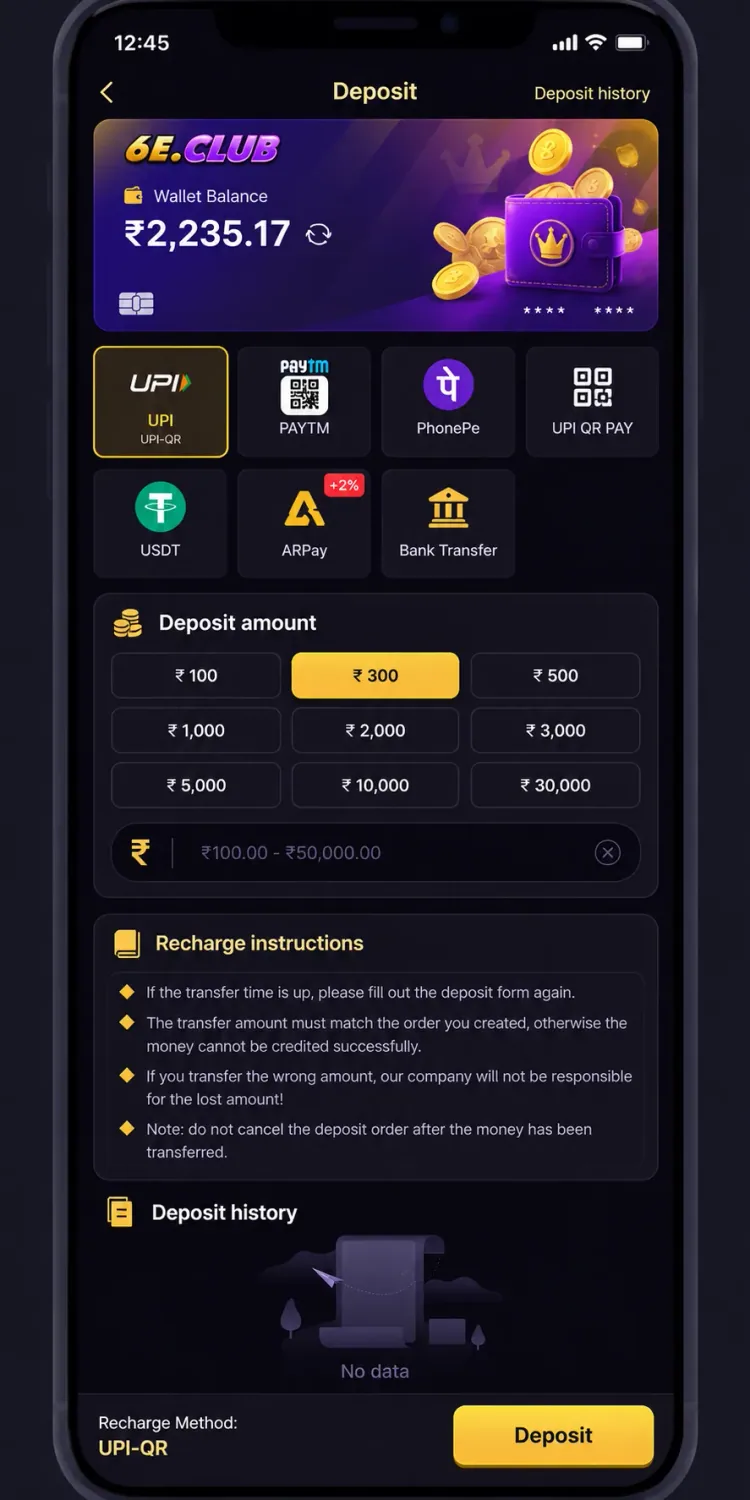
Deposit History lets you review deposit records after a payment. Check amount, date, status and any reference details, and compare them with your bank or payment-provider confirmation. If history shows no records, do not immediately assume failure — confirm the transaction was submitted and whether history has updated.
A payment can look successful in your payment app while the wallet still shows the previous balance. Avoid making another payment until you have checked the first transaction.
Never share payment credentials
Use the status and order details shown by the platform as your starting point.
Only deposit money you can afford to lose. Game-related services involve financial risk, and a successful deposit does not guarantee winnings or a particular return.
This guide explains the deposit interface and the instructions visible in the supplied screen. Payment options, amount limits and transaction requirements may change — check the current order before sending money.
This is an independent informational guide and does not establish official affiliation with 6E Club. Deposits do not guarantee winnings or financial returns.